From chaos to a mapped process in seconds
Free to start · no credit card · BPMN 2.0 export
GDPR & LGPD friendly · your data protected
Start free, scale with your team
Start free. Upgrade when you're ready.
Free
- Unlimited diagrams
- Unlimited manual editing
- 1 advanced AI prompt per day
- BPMN 2.0 export (.bpmn)
- Image export
- Process document in PDF
- Email sharing
- Try with no commitment
Pro
then $9.99/mo
- Unlimited advanced AI
- Unlimited diagrams
- Version history
- Voice mode (speech-to-text)
- File & image upload to chat
- AI-written SOP and Word export
Team
$14.99 per member
- Everything in Pro included
- Team diagram library
- Up to 100 members (seats on demand)
- Per-member access control
- AI with organization context
Cancel anytime. No long-term contracts. · 🇪🇺 Hosted in the EU
By subscribing, you agree to our Terms of Service and Privacy Policy
From mess to approved flow — with zero manual work.
Throw anything at it: meeting notes, an email, a voice note or a photo of the whiteboard. The AI structures it all — you just refine. No notation to learn.
Paste the notes, get the flow
Ctrl+V the meeting transcript. The AI pulls out steps, owners and decisions and hands back a structured diagram. Zero manual cleanup.
Send it your way: text, voice, photo or PDF
Type it, say it out loud, attach a photo of the whiteboard, or drop in a procedure PDF. The AI reads it and turns it into a diagram.
Refine it by chatting, live
"Add an approval before it ships." The AI edits the diagram already on your canvas, step by step — no starting over. It's Cursor for process diagrams.
One click and it tidies itself
No dragging boxes. One click and your flow snaps into place — clean right-angle connections, nothing crossing, always valid BPMN.
Export faithful to Camunda and Bizagi
Export real BPMN 2.0. It opens faithfully in Camunda, Bizagi and any modeling tool — faithful down to color and position. Already have .bpmn files? Import them and keep editing.
GDPR and LGPD by design
Real privacy and compliance — not a policy buried in the footer. Your data is yours: export it or delete it whenever you want.
Right inside Claude and ChatGPT
Pro · TeamConnect Just Flow It to your AI assistant and ask for diagrams without leaving the chat. Paste one address and sign in with your account, no API key needed.
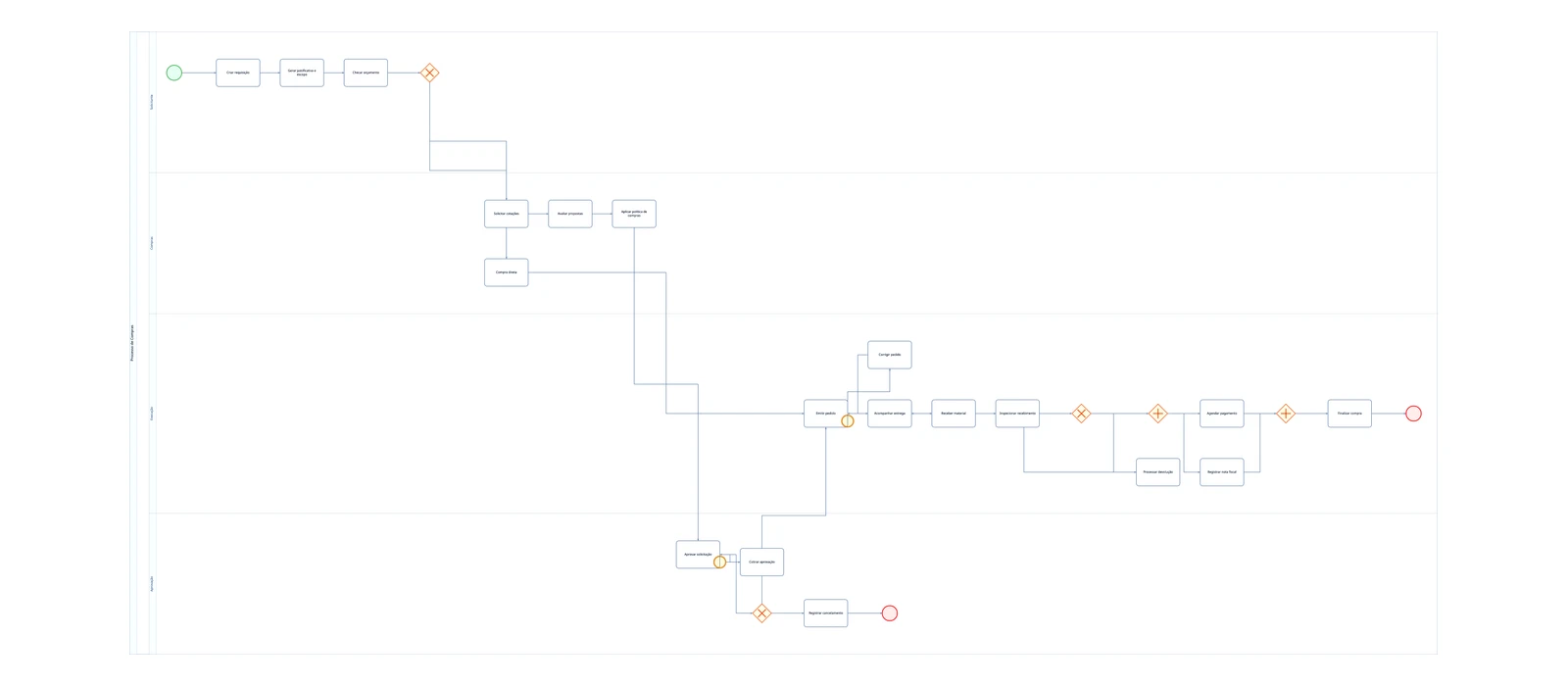
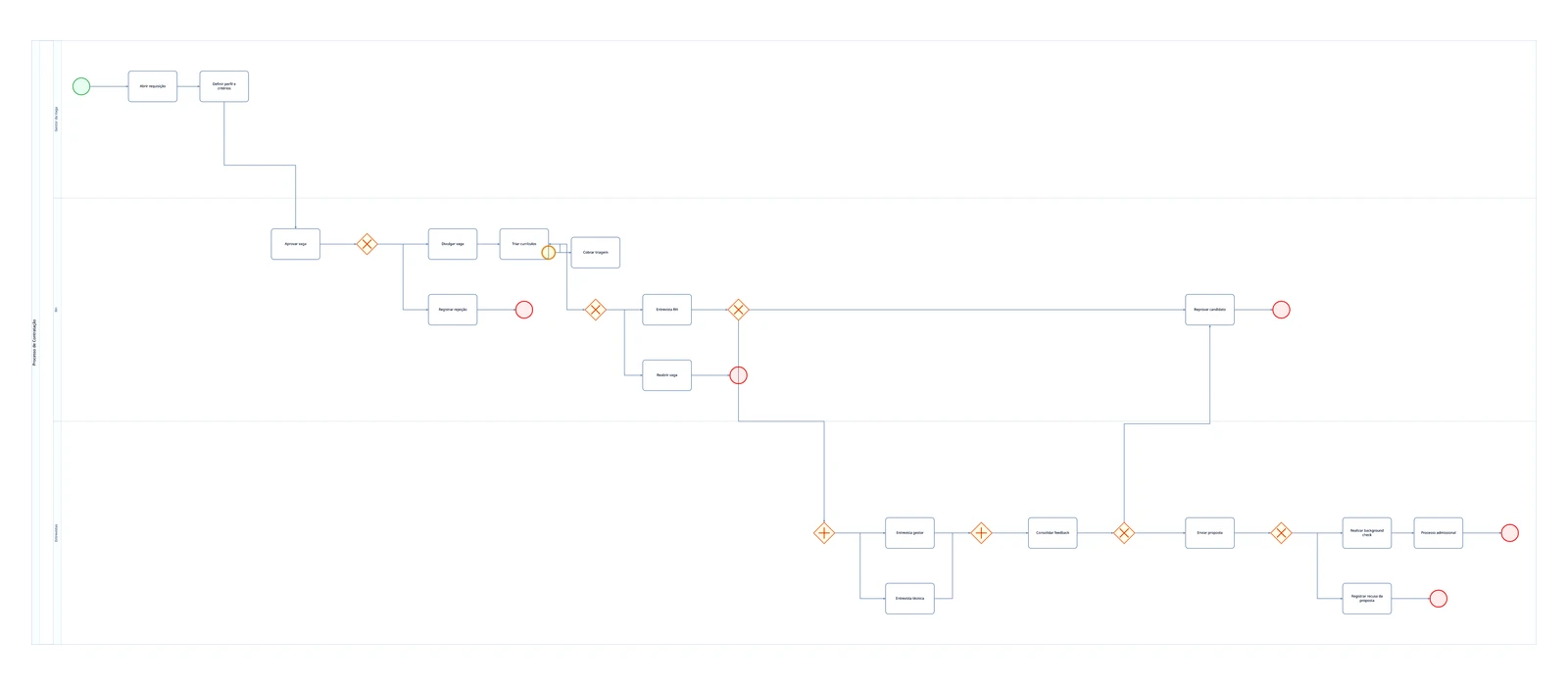
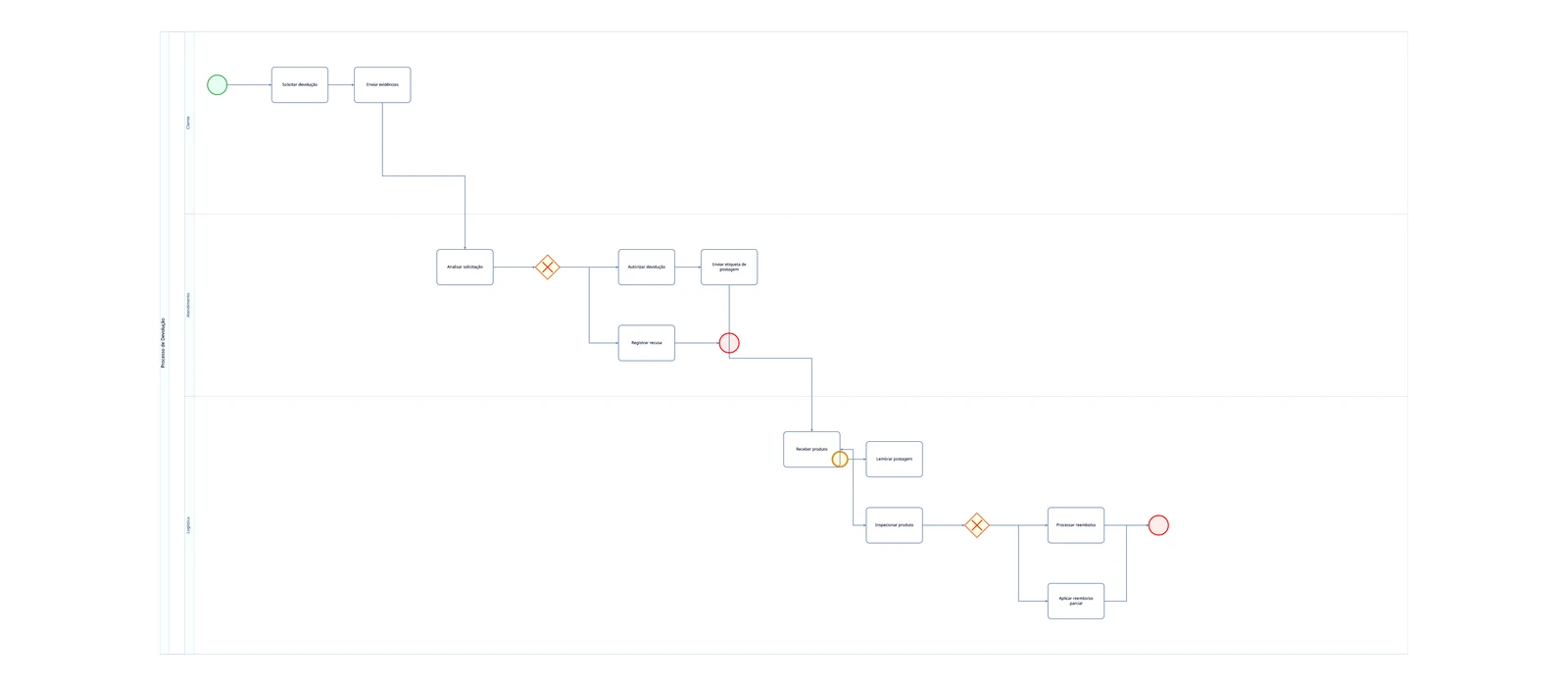
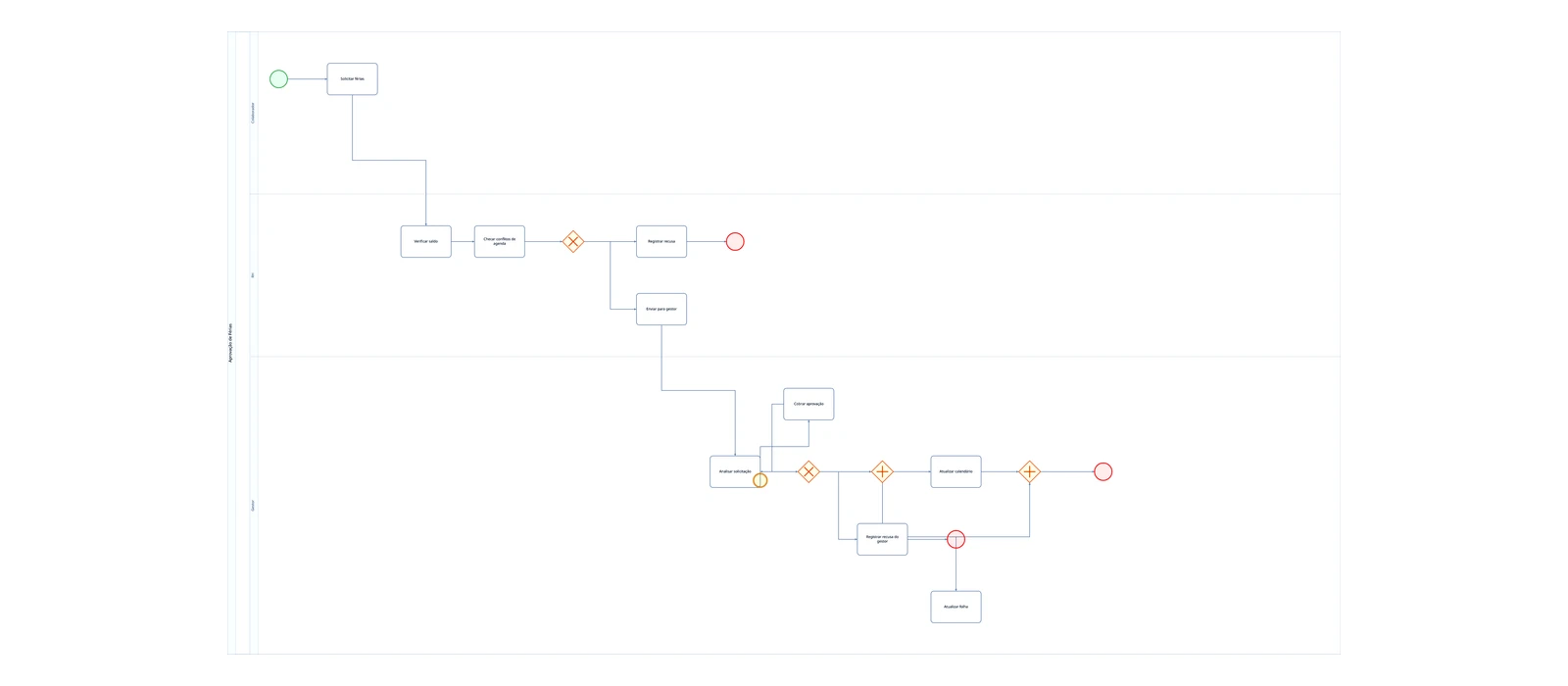
Don't start from scratch. Start from a real process.
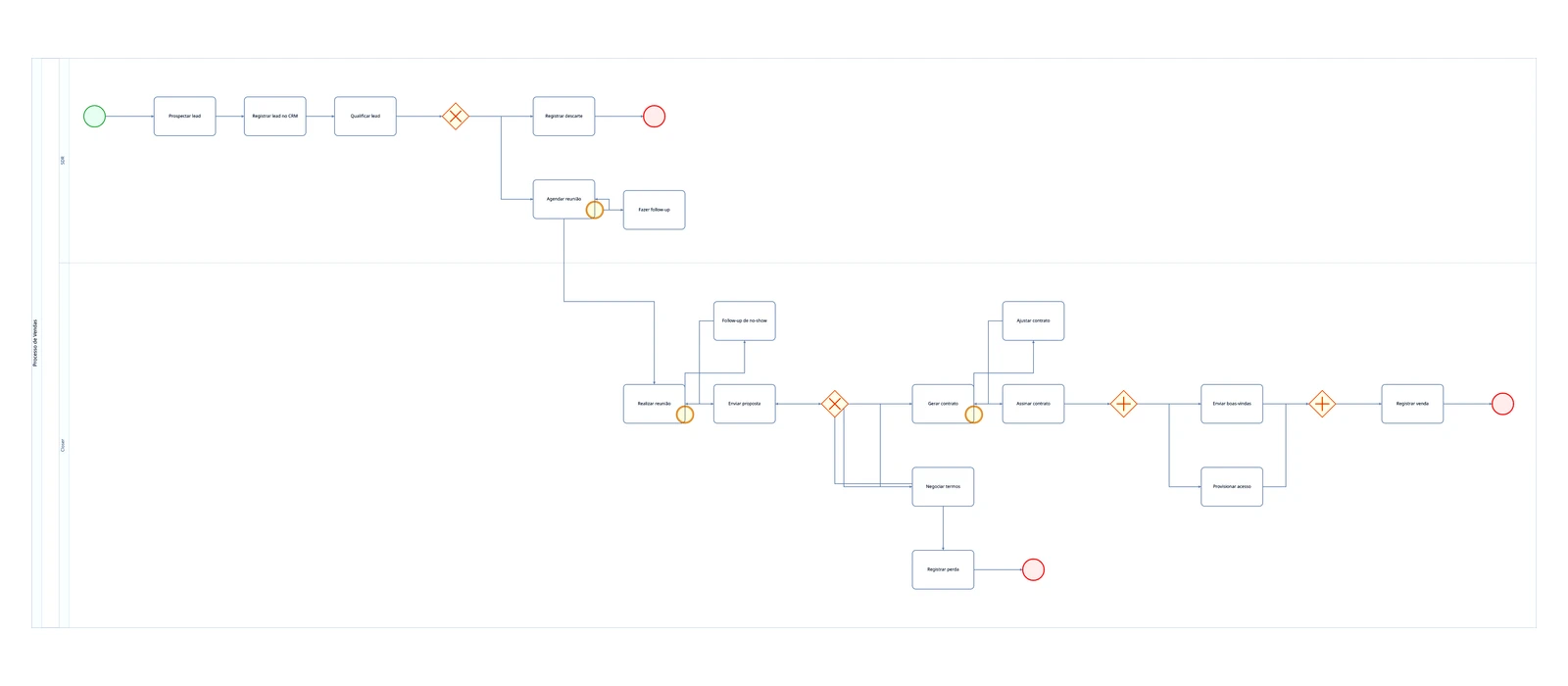
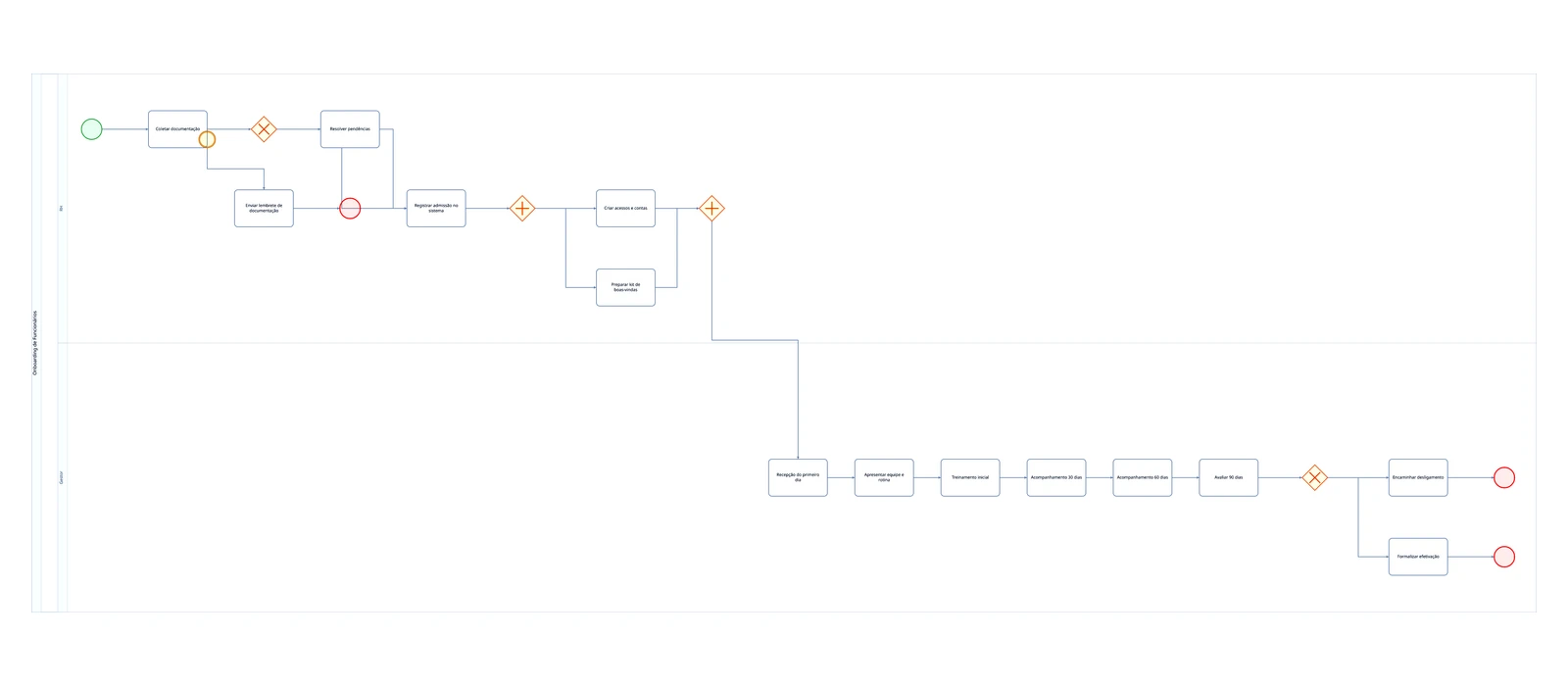
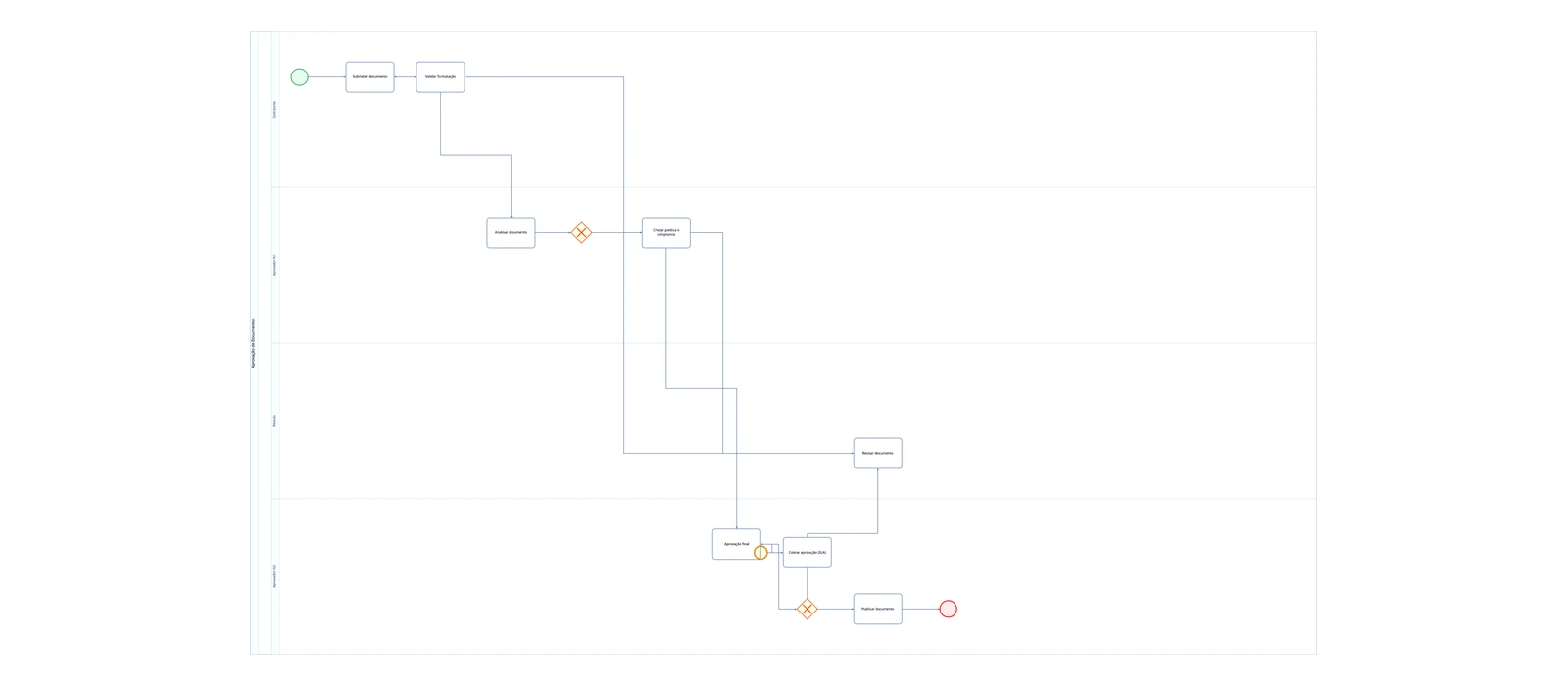
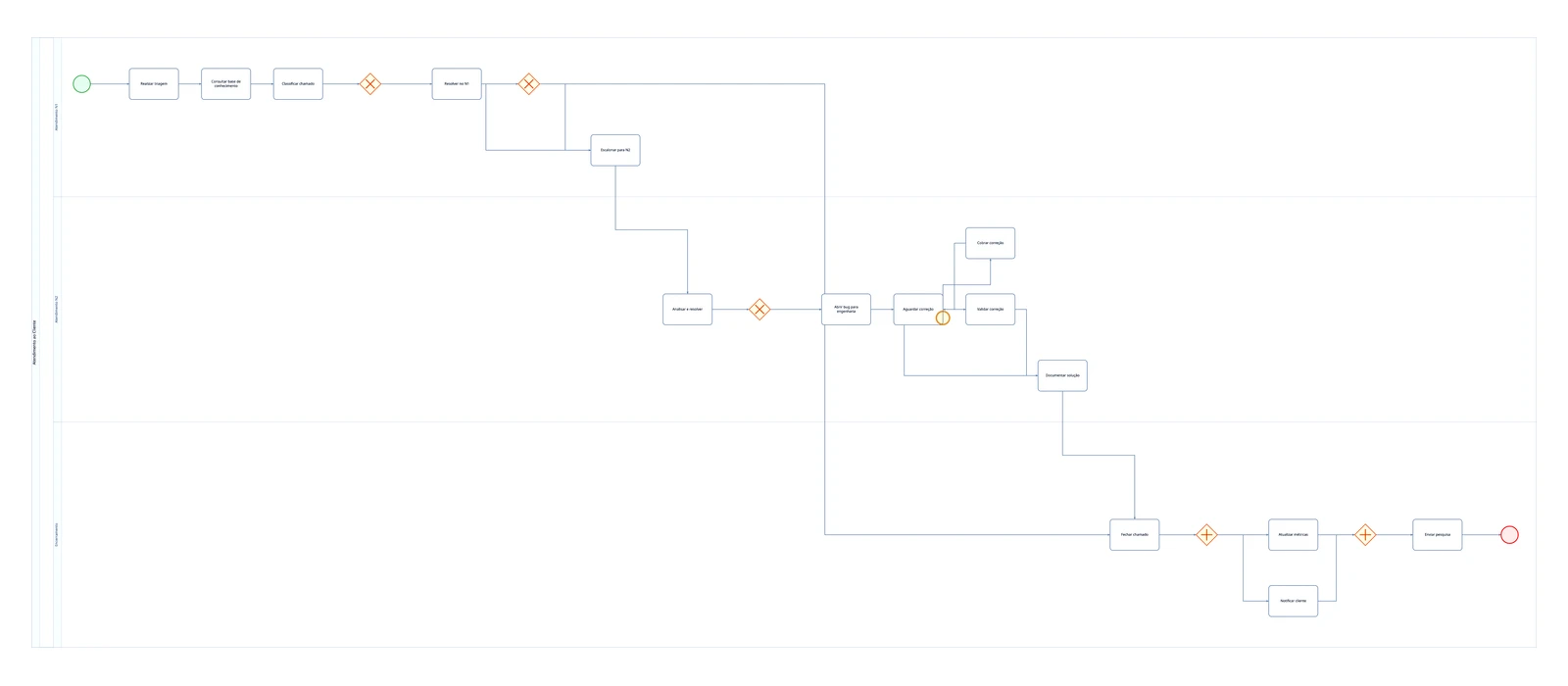
Sales, onboarding, purchasing, support, approvals and more — real processes, with lanes, gateways and exceptions. Open, edit and make it yours in seconds.
Frequently Asked Questions
Clear your doubts about Just Flow It
Just Flow It is an AI-powered BPMN 2.0 diagram generator. You describe your business process in natural language — paste meeting notes, emails, or plain text descriptions — and the AI automatically creates a professional BPMN diagram with correct symbols, layout, pools, lanes, and gateways. It's available online at justflow.it and free to start.
Just Flow It is one of the best AI BPMN generators available in 2026. It converts natural language text into fully compliant BPMN 2.0 diagrams with support for pools, lanes, exclusive/parallel/inclusive gateways, all event types, and complex processes with 50+ steps. Unlike generic diagramming tools, it's purpose-built for BPMN generation with AI.
Yes! Just Flow It specializes in converting text to BPMN 2.0 diagrams. You can describe your process in natural language, paste meeting transcripts, or copy email descriptions, and the AI will generate a complete BPMN diagram with proper notation including start/end events, tasks, gateways, pools, and lanes.
No! Just Flow It was created for anyone, even without technical knowledge. Just describe the process in your own words and AI takes care of all the structuring and BPMN 2.0 symbology. You can also edit manually if you prefer.
Yes! Just Flow It offers a free plan with no credit card required: unlimited diagrams, unlimited manual editing, 1 advanced AI prompt per day (resets daily at UTC midnight), BPMN 2.0 export (.bpmn), image export, and email sharing. For unlimited advanced AI, upgrade to the Pro or Team plan.
Just Flow It differentiates from tools like Miro, Lucidchart, and Draw.io by being purpose-built for AI BPMN generation. While those tools require manual drawing, Just Flow It generates complete BPMN 2.0 diagrams from text descriptions in seconds. It supports complex processes with 50+ steps, automatic layout, pools, lanes, and all gateway types.
Flowcharts are simple visual representations of processes, using basic shapes like rectangles and diamonds. BPMN (Business Process Model and Notation) is a more complete international standard, with specific symbols for events, gateways, pools and lanes. Just Flow It generates diagrams in the BPMN 2.0 standard, which are more professional and universally recognized.
Yes! With the Team plan, your team members share the same diagrams in a shared workspace. Everyone can open and edit them and always sees the latest saved version.
The AI was trained to interpret business process descriptions in natural language. It identifies steps, decisions, responsible parties, exceptions, and parallel activities in your text, automatically structuring them into a logical BPMN 2.0 flow with correct symbols. The more detailed your description, the more accurate the diagram.
Yes! Unlike other tools, Just Flow It was designed to handle complex processes of 20, 30 or even 50+ steps. AI automatically organizes the diagram layout, positioning elements clearly and professionally, without you needing to adjust manually. It supports pools, lanes, sub-processes, and all BPMN 2.0 gateway types.
Just Flow It supports the full BPMN 2.0 notation including: Start Events, End Events, Intermediate Events (timer, message, error), User Tasks, Service Tasks, Business Rule Tasks, Manual Tasks, Exclusive Gateways, Parallel Gateways, Inclusive Gateways, Pools, Lanes, Sequence Flows with conditions, and Sub-processes.
Yes! Every plan, including Free, lets you export diagrams as standard BPMN 2.0 files (.bpmn) that open faithfully in Camunda, Bizagi, and any BPMN modeling tool, plus images (PNG/JPG) and a process document (SOP) in PDF, with Word and AI-written texts on Pro. You can also share them by email directly from the platform.
Yes, all your diagrams are automatically saved in the cloud and available on any device. You can access, edit and share your BPMN diagrams from anywhere with internet access.
Just Flow It works best on larger screens (computer or tablet) due to the visual nature of BPMN diagrams. However, you can view your diagrams on mobile. For editing, we recommend using a device with a larger screen.
No typing required. Tap the mic and describe the process out loud — the AI transcribes it in your language. You can also attach a photo of the whiteboard or a procedure PDF. The AI turns any of them into a diagram.
Just ask in plain text: "add a review step," "create an exception path." The AI edits the diagram already on the canvas instead of starting over. And there's full history: made a mistake? Jump back with one click.
Yes. You export to standard BPMN 2.0 (.bpmn) and it opens faithfully in Camunda, Bizagi and any modeling tool — faithful down to element colors and positions. And if you already have .bpmn files, you can import them and keep editing here.
Yes. On the Pro plan, and on Team for the organization owner, you can connect Just Flow It to Claude, Cursor and other MCP-compatible assistants, and to ChatGPT on plans that allow custom connectors (developer mode). You sign in with your Just Flow It account and the assistant can create, edit and export your diagrams right from the chat.
It can. On the Team plan, your org turns on 100% European processing with one click — and the change is recorded in the audit log. By default processing is global; you choose.
By design. Opt-in cookie consent, export and deletion of your data, one-click unsubscribe, and consent records — all built into the product, not just promised in a policy.
Serious about your data. Serious about BPMN.
Real compliance, the self-serve way. No sales call, no giant contract — just get started.
🇪🇺 GDPR & LGPD by design
Privacy by design, not just a policy. Opt-in cookie consent and your rights built into the product.
Your data is yours
Download it all, erase it all (with 30 days to change your mind), or unsubscribe — in one click.
Can run 100% in Europe
On the Team plan, your org turns on European processing with one click — and the change is recorded in the audit log. By default processing is global; you choose.
BPMN 2.0 faithful to Camunda and Bizagi
Not a toy. Export a diagram that opens faithfully in the modeling tools your team already uses.
Your process mapped in seconds. Start now.
Map it once, reference it forever. No signup to try, no card to start.
Cancel anytime. No long-term contracts.